

TrainImageContentDetector
TrainImageContentDetector[{img1{bbox1class1,…},…}]
trains a ContentDetectorFunction[…] based on the examples given.
Details and Options
- TrainImageContentDetector attempts to train an object detector using the provided training data.
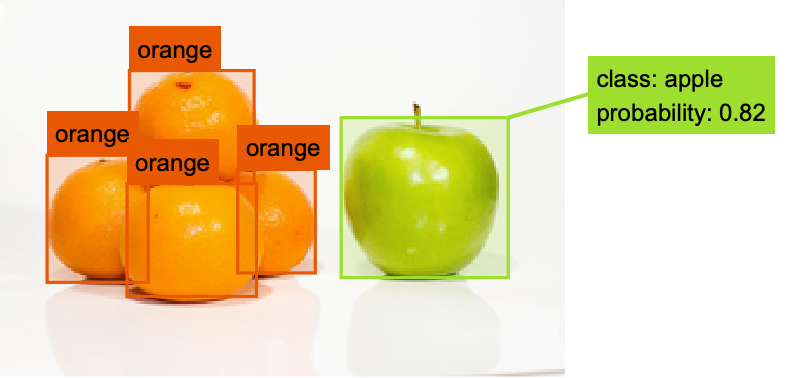
- Object detection is a computer vision technique used for recognizing subimages in an image.
- TrainImageContentDetector returns a ContentDetectorFunction[…] that can then be applied to new input data.
- The bounding boxes bboxi should be given as Rectangle objects.
- The classes classi can be arbitrary expressions.
- TrainImageContentDetector[…][image] can be used to detect objects in image and returns the result as a list of associations of the form <"Image"img,"Class"class>.
- TrainImageContentDetector supports the following options:
-
PerformanceGoal Automatic favor settings with specific advantages ProgressReporting Automatic how to report progress during training RandomSeeding 1234 how to seed pseudorandom generators internally TargetDevice "CPU" the target device on which to perform training TimeGoal Automatic number of seconds to train for ValidationSet None the set of data on which to evaluate the model during training
Examples
open all close allBasic Examples (1)
Train a basic object detector:
df = TrainImageContentDetector[{[image] -> {Rectangle[{89, 26}, {317, 217}] -> "heart"}, [image] -> {Rectangle[{228, 99}, {289, 158}] -> "heart"}, [image] -> {Rectangle[{86, 133}, {176, 207}] -> "heart", Rectangle[{170, 83}, {225, 130}] -> "heart"}, [image] -> {Rectangle[{147, 86}, {239, 186}] -> "heart"}}]Apply the detector on a new image:
testImage = [image];
df[testImage]
Highlight the detection on the input image:
HighlightImage[testImage, Legended[#BoundingBox, #Class]& /@ df[testImage, {"BoundingBox", "Class"}]]Options (5)
PerformanceGoal (1)
Use PerformanceGoal"Quality" to emphasize the quality of the result:
training = {[image] -> {Rectangle[{48, 25}, {160, 144}] -> "apple", Rectangle[{144, 24}, {279, 144}] -> "apple"}, [image] -> {Rectangle[{84, 43}, {227, 155}] -> "strawberry"}, [image] -> {Rectangle[{60, 70}, {180, 212}] -> "strawberry"}};
TrainImageContentDetector[training, PerformanceGoal -> "Quality"]
| |
Use PerformanceGoal"Speed" to emphasize the speed of computation:
TrainImageContentDetector[training, PerformanceGoal -> "Speed"]
| |
ProgressReporting (1)
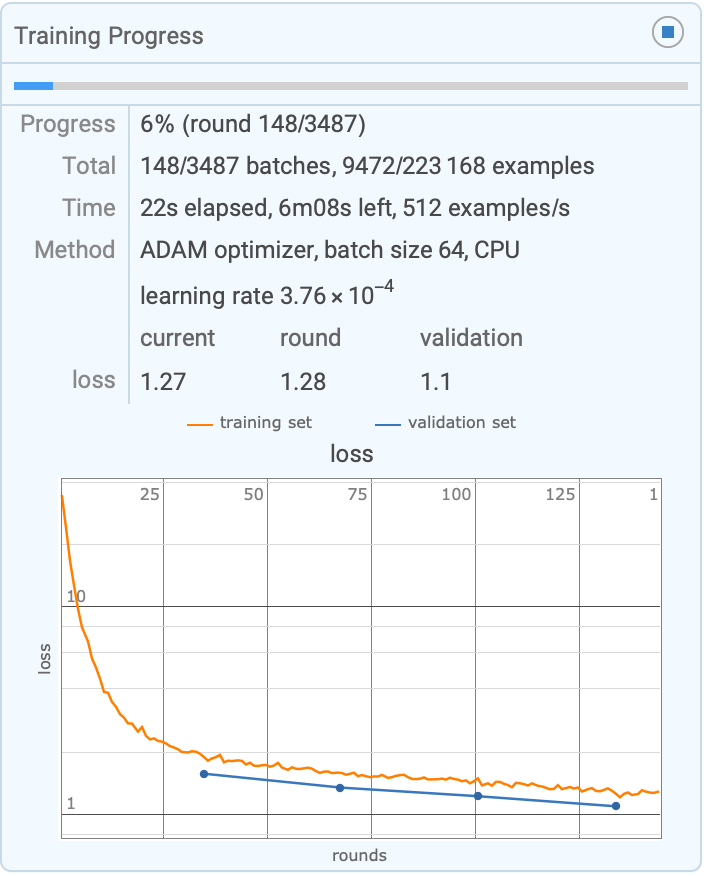
By default, progress is reported in a dynamic panel:
training = {[image] -> {Rectangle[{48, 25}, {160, 144}] -> "apple", Rectangle[{144, 24}, {279, 144}] -> "apple"}, [image] -> {Rectangle[{84, 43}, {227, 155}] -> "strawberry"}, [image] -> {Rectangle[{60, 70}, {180, 212}] -> "strawberry"}};TrainImageContentDetector[training]
| |
| |
Use ProgressReportingFalse to avoid displaying the progress panel:
TrainImageContentDetector[training, ProgressReporting -> False]TargetDevice (1)
Train a detector using the default system GPU, if available:
training = {[image] -> {Rectangle[{48, 25}, {160, 144}] -> "apple", Rectangle[{144, 24}, {279, 144}] -> "apple"}, [image] -> {Rectangle[{84, 43}, {227, 155}] -> "strawberry"}, [image] -> {Rectangle[{60, 70}, {180, 212}] -> "strawberry"}};
TrainImageContentDetector[training, TargetDevice -> "GPU"]
If a compatible GPU is not available, a message is issued:
TrainImageContentDetector[training, TargetDevice -> "GPU"]
TimeGoal (1)
The training time can be influenced by several factors, such as the number of examples and classes:
training = {[image] -> {Rectangle[{48, 25}, {160, 144}] -> "apple", Rectangle[{144, 24}, {279, 144}] -> "apple"}, [image] -> {Rectangle[{84, 43}, {227, 155}] -> "strawberry"}, [image] -> {Rectangle[{60, 70}, {180, 212}] -> "strawberry"}};TrainImageContentDetector[training]
| |
Use TimeGoal to specify a target time for the training:
TrainImageContentDetector[training, TimeGoal -> Quantity[10, "Minutes"]]
| |
ValidationSet (1)
By default, only cross-validation is performed on the detector:
training = {[image] -> {Rectangle[{48, 25}, {160, 144}] -> "apple", Rectangle[{144, 24}, {279, 144}] -> "apple"}, [image] -> {Rectangle[{84, 43}, {227, 155}] -> "strawberry"}, [image] -> {Rectangle[{60, 70}, {180, 212}] -> "strawberry"}};TrainImageContentDetector[training]Use ValidationSet to provide separate validation examples:
validation = {[image] -> {Rectangle[{50, 74}, {139, 177}] -> "strawberry"}, [image] -> {Rectangle[{82, 44}, {132, 94}] -> "apple", Rectangle[{102, 94}, {159, 144}] -> "apple", Rectangle[{115, 8}, {170, 62}] -> "apple"}};TrainImageContentDetector[training, ValidationSet -> validation]Text
Wolfram Research (2021), TrainImageContentDetector, Wolfram Language function, https://reference.wolfram.com/language/ref/TrainImageContentDetector.html.
CMS
Wolfram Language. 2021. "TrainImageContentDetector." Wolfram Language & System Documentation Center. Wolfram Research. https://reference.wolfram.com/language/ref/TrainImageContentDetector.html.
APA
Wolfram Language. (2021). TrainImageContentDetector. Wolfram Language & System Documentation Center. Retrieved from https://reference.wolfram.com/language/ref/TrainImageContentDetector.html