GUIKit の例題:進行状況
GUIKit の例題:進行状況
GUIKitで提供されていた機能は,組込みのWolfram言語にネイティブのインターフェース構造およびコントロール関数で利用できるようになった.
Needs["GUIKit`"]ProgressDialog[] := GUIRun[
Widget["Frame", {
WidgetGroup[{
Widget["Label", {"text" -> "Percent complete:"}, Name -> "label"], Widget["ProgressBar",
{"minimum" -> 0, "maximum" -> 100,
"preferredSize" ->
Widget["Dimension", {"width" -> 300, "height" -> 25}]}, Name -> "bar"]
}, WidgetLayout -> {
"Grouping" -> Column,
"Border" -> {{15, 15}, {25, 20}}}],
"location" -> Widget["Point", {"x" -> 400, "y" -> 400}], "title" -> "Computation Progress",
"resizable" -> False},
Name -> "frame"]
]例題
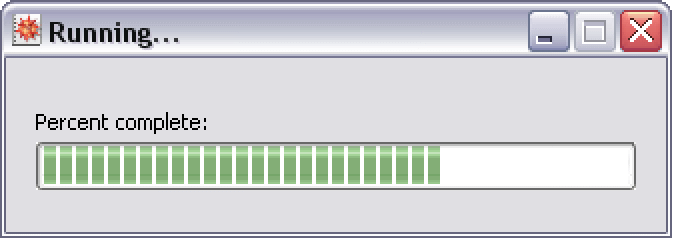
この例題では再利用可能なプログレスバーパネルの生成方法とWolfram言語の計算で進行状況を表示するためのモードレスダイアログとしての使用方法を示す.
ref = ProgressDialog[];簡単に検索できるように参照名を付けて登録されたダイアログには3つの重要なオブジェクトがある.次はダイアログのライフタイムで設定するに足る最も一般的な特性である.
ref @ SetPropertyValue[{"bar", "value"}, 70]ref @ SetPropertyValue[{"frame", "title"}, "Running..."]ref @ SetPropertyValue[{"label", "text"}, "Finding..."]ダイアログが不要になったらReleaseGUIObjectを呼び出してこのインスタンスを処分することができる.
ReleaseGUIObject[ref];